Agent Editor
Once agents became platform assets in Agents 2.0, they needed an editor of their own. The Agent Editor is a web-based workspace where anyone building an agent sets its goals, tools, knowledge, memory and policies, tests it, and publishes it in one session. Before any high-fidelity design, I built it as a working proof of concept and used it to rebuild real customer agents.
- Role
- Principal Product Designer, the only designer on it
- Timeline
- 2026
- Team
- Product management and engineering in the AI value stream
- Status
- Launches Q4 2026
- Agent Experience
- User Experience
- UI Design
- Design Engineering
Challenge
In Agent Workbench 1.0, an agent wasn't one thing you could open. Its prompt lived in a plain text field developers compared to Notepad, its logic in app flows, and every small change meant redeploying the whole app. Testing an agent meant building a separate test app.
Making agents a platform asset fixed the architecture and left a design question open: who the editor was for. The people who know whether an agent is right are often domain experts, not developers, and improving an agent after launch matters more than the first build.
Agent in 1.0
Assembled step by step in an app's logic flow
Get grounding data
A server action the developer wires up
Build messages
A complex message structure, learned from the docs
Call the model
Model, tools and settings in one node
Store memory
An entity the developer manages by hand
Agent in 2.0
Configured as structured primitives in one editor
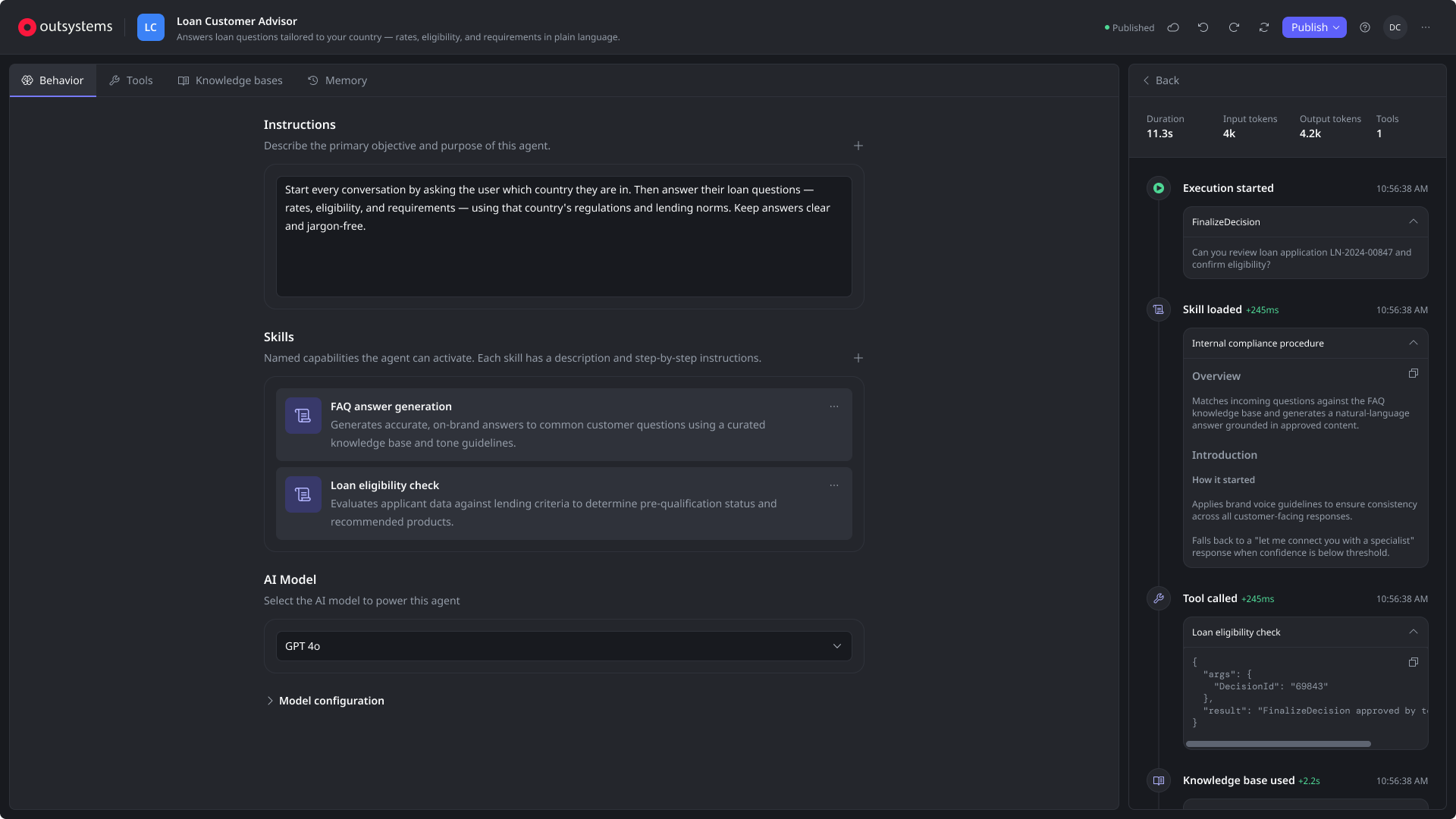
Goals and instructions
What the agent does and how
Tools, agents and knowledge
Picked from catalogs, not wired
Memory and policies
Switched on, not built
Test and trace
Right next to the configuration
From idea to agent in one session
Create, configure, test and publish a working agent without leaving the editor or asking for help.
Complexity on demand
Non-developers aren't overwhelmed by advanced settings, and developers are never blocked from them.
Confidence before publishing
Builders can predict what their agent will do before it reaches users, through testing and visible reasoning.
Built for iteration
Improving a live agent is the main job, so every change can be tested in place and published as a new revision.
Research
We defined target roles instead of personas. The main one is the Builder: someone who knows the business, isn't necessarily a developer, and shapes an agent through plain language and configuration. Around them are the developer who builds the services agents call, and the operations lead who sets the policies every agent must follow. We also designed for a different kind of user: other agents, which reach the platform through structured operations instead of screens.
Research comparing an IDE with a web editor was split: developers valued staying in one window, while others found web editors easier for prompt work and debugging.
"I think debugging on a web editor will be easier, with more data and more context." — developer, research interview
Key decisions
A web editor, not another IDE tab
A dedicated editor opens agent building to non-developers. The trade-off is a handoff to Studio for heavy lifting, like building the services agents call.
Structure over strings
Goals, instructions, tools, knowledge, memory and policies each get their own place in the editor, instead of text packed into one prompt.
Testing inside the editor
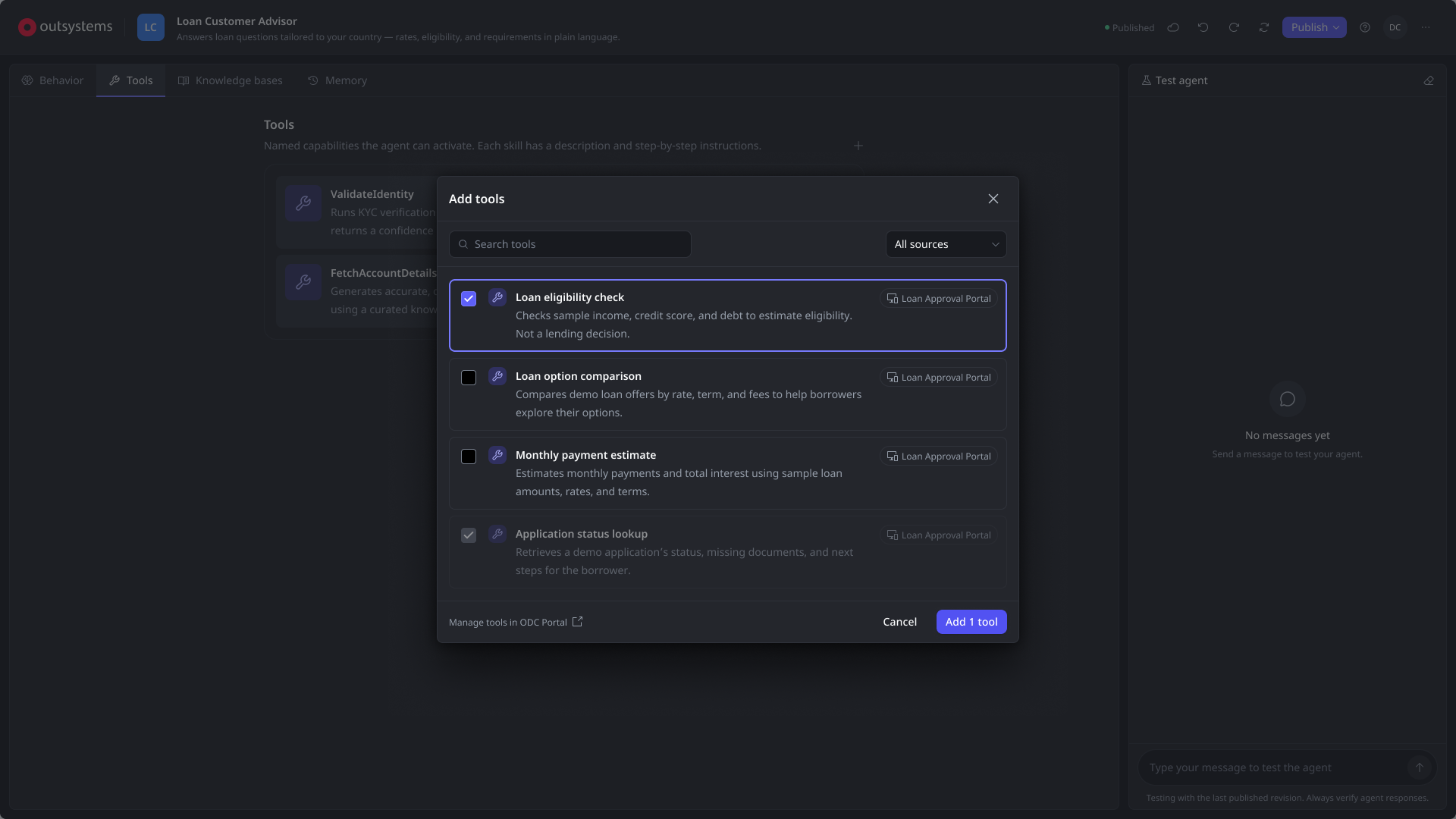
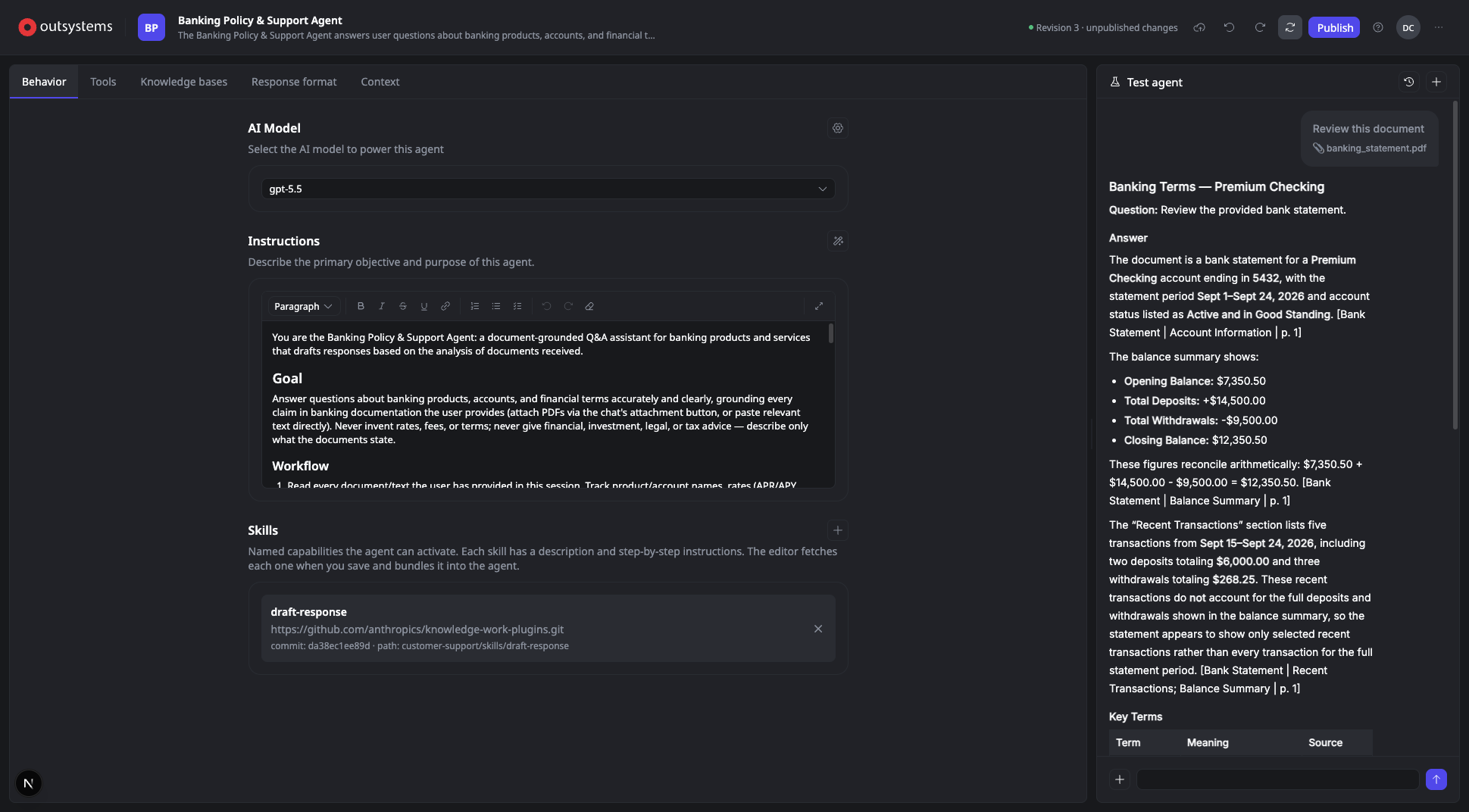
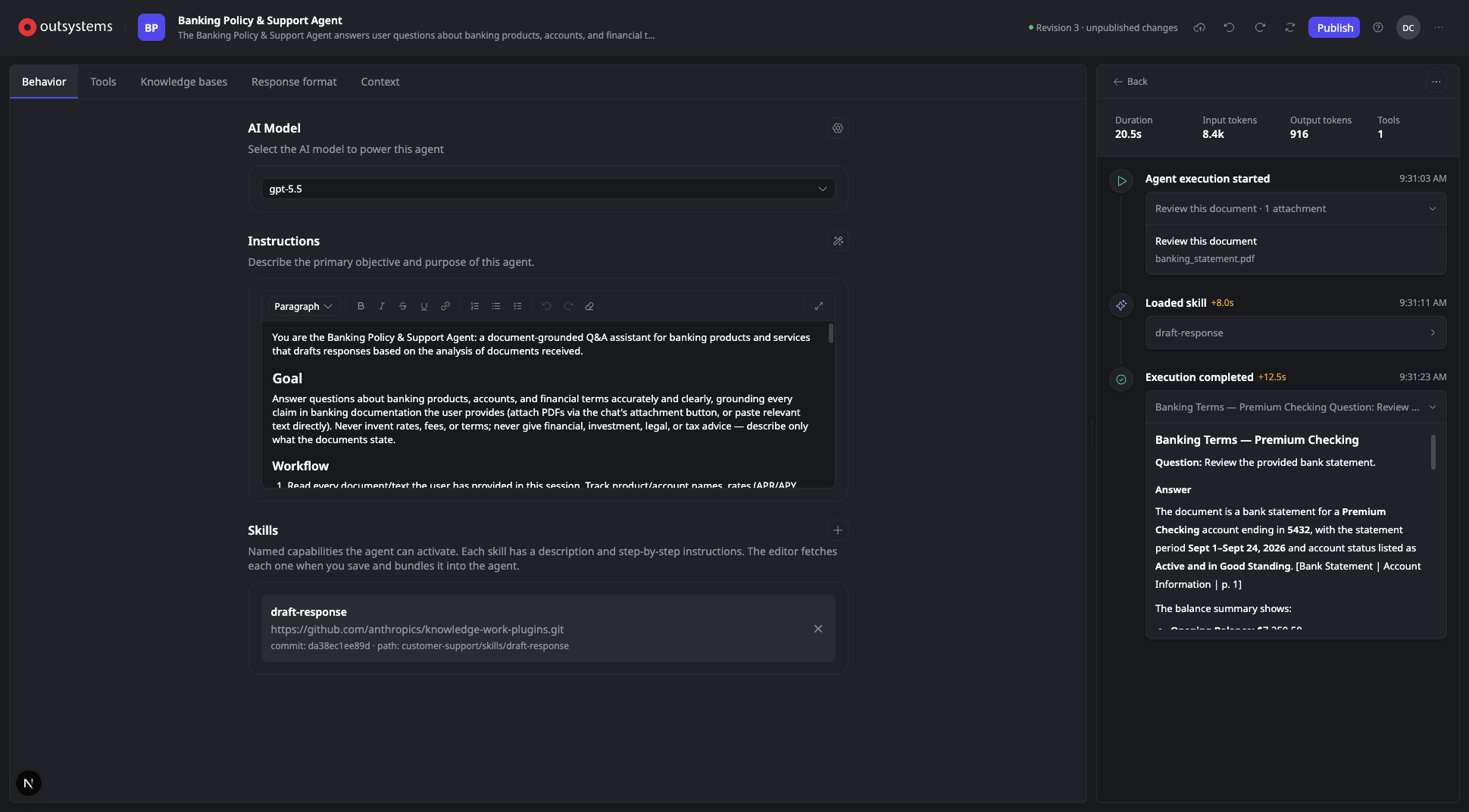
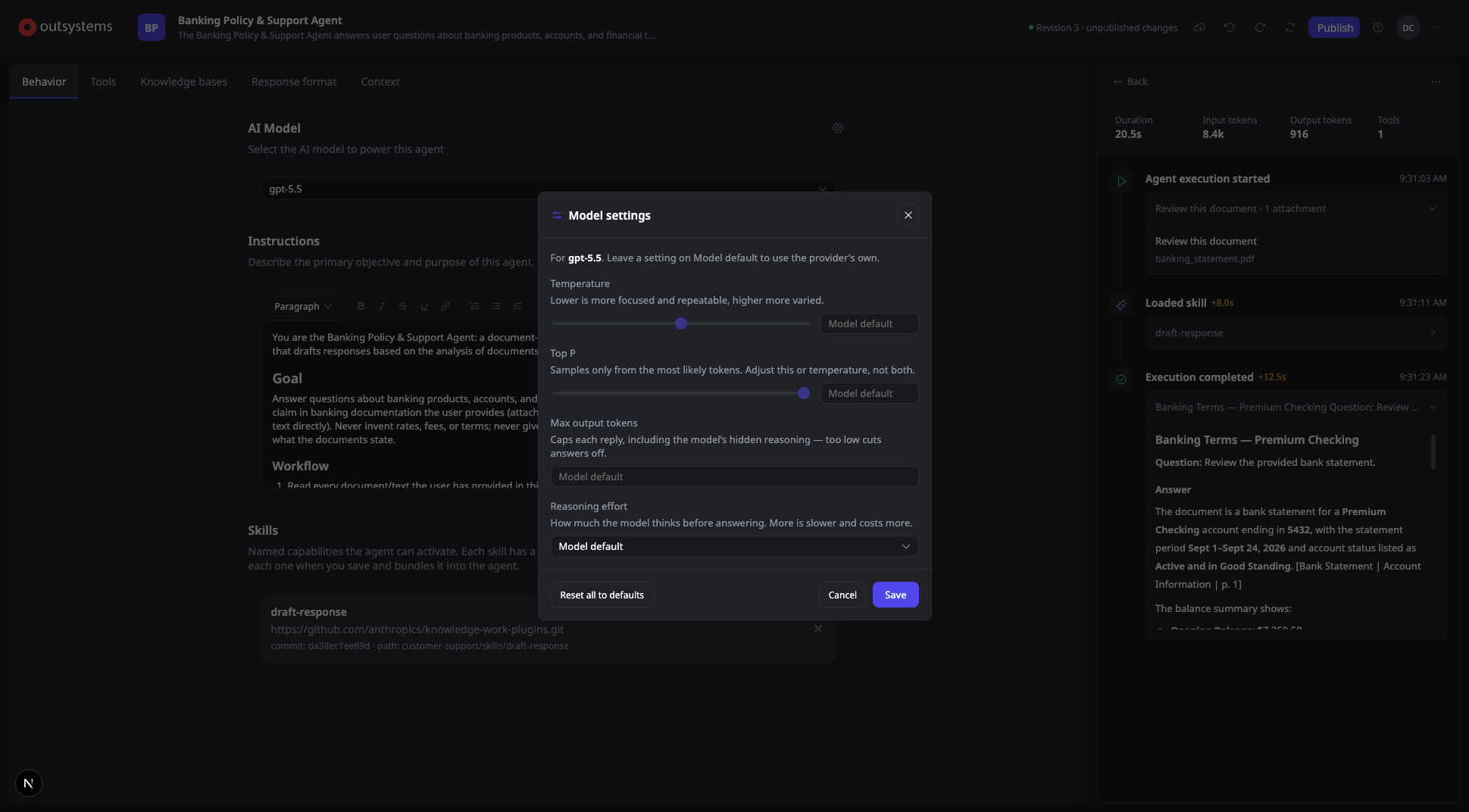
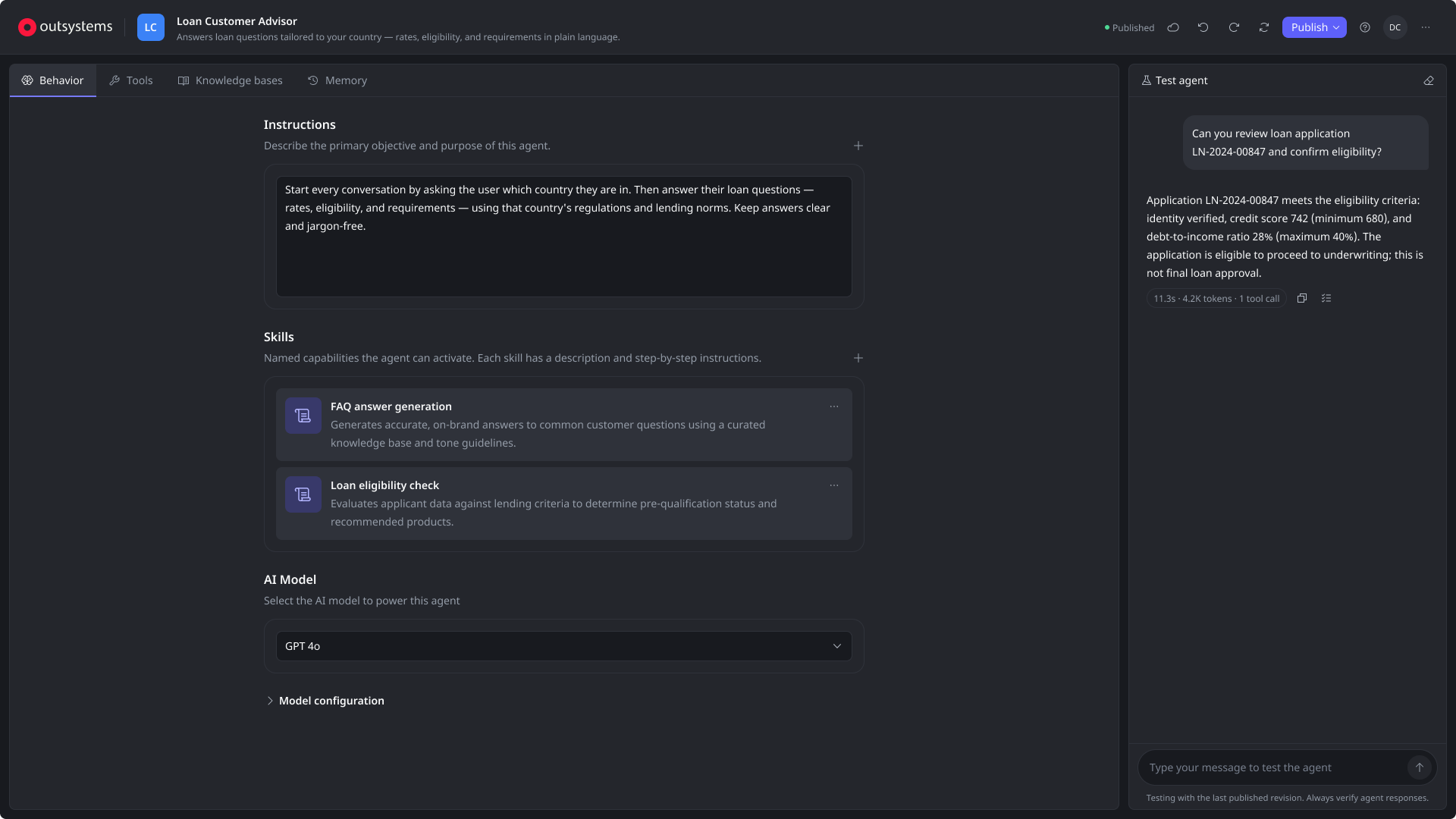
A test chat next to the configuration, with an execution view showing every skill loaded, tool called and knowledge base used, plus time and tokens.
Broken references block publishing
If a tool an agent depends on disappears, the editor flags it in place and won't publish until it's fixed or removed.
Agent
A self-contained platform asset, alongside apps and workflows
Identity
Name, icon and description
How the agent shows up in the catalog
Owner
Who created it and last changed it
Revision
The last published state
Default role
Permissions the agent acts with
Contract
Input parameters
What callers must provide
Response format
Text or a defined structure
Testing
Test chat
Try the agent while building it
Execution trace
Reasoning, context and tools used
Configuration
Structured primitives instead of one long prompt
Behavior
What it does and how
Goals
Skills
AI model
Capabilities
What it can do
Tools
Other agents
Human in the loop
Error handling
Memory
What it remembers
Within a session
Across sessions
Policies
What it must not do
Guardrails
Rates and limits
Procedures to follow
Each part maps to a standard the industry is converging on. Tools reach agents through MCP, agents call and are called by apps and other agents over A2A, and skills package instructions the way current agent frameworks do. An agent built in the editor can work with tools and agents outside OutSystems too.
Solution
I built the editor first as a working proof of concept, using AI to write most of the code. It ran outside the platform, but on the same agent runtime and a similar architecture, and every planned feature worked: skills, tools, knowledge bases, structured inputs and testing. I used it to rebuild real production agents from close customers, which tested the whole experience end to end before I designed a single high-fidelity screen.
Running real agents on the real runtime let me check agent calls, A2A payloads and the runtime's limits before designing around them. It saved dozens of hours of alignment with engineering, and the team reused parts of my code, like the mapping from A2A responses to the execution view.
Proof of concept
Build a working editor
Skills, tools, knowledge, structured input and testing
Proof of concept
Rebuild real agents
Production agents from close customers
Proof of concept
Validate the runtime
Agent calls, A2A payloads, capabilities and limits
Design
Design high fidelity
Based on what the prototype proved
Engineering
Build with shared code
Parts of the prototype reused
Outcome
ODC Portal
Create an agent
From the new Agents console
Agent Editor
Describe it
Goals, instructions and a model
Agent Editor
Publish
To its own runtime, with a revision
ODC Studio
Call it from an app
With the Call Agent node
ODC Portal
See it run
In logs and traces
The Agent Editor was shown at OutSystems ONE 2026 and launches in Q4 2026 as part of Agents 2.0. Tools, knowledge, memory, policies and in-editor testing followed that first milestone.
We'll judge the editor on the goals it set out to meet:
Tested before published
The share of agents with at least one test run during development.
Idea to agent in one session
How many people publish a working agent in their first session.
Existing services as tools
Teams reuse the service actions they already have instead of building new ones.
Looking back, building on the real runtime surfaced its limits before any high-fidelity design, when they were still cheap to design around. It costs time up front, so I'd save it for work where the biggest unknowns are technical.